
Skip to content
Case study

DocPivot

DocPivot

TheRankHQ designed and built DocPivot from scratch: 115 free PDF and image tools in one workspace, 82 of which never upload the file. It was planned around what established tools get wrong: daily limits, sign-ups, watermarks and re-uploading between every step.

Tools built from scratch
115
Tools that never upload a file
82
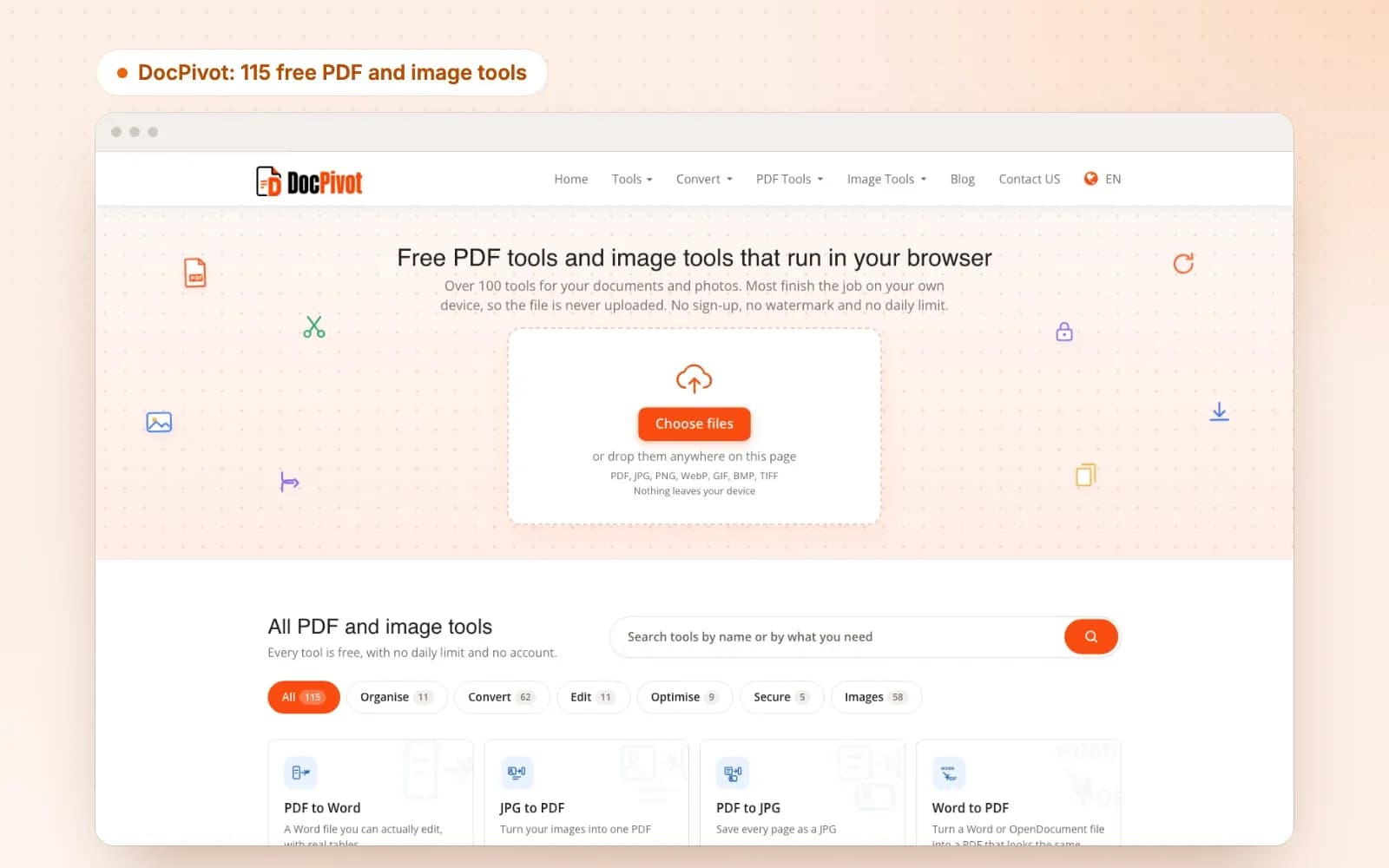
The DocPivot homepage: free PDF and image tools that run in your browser, with a drop zone for files and a grid of all 115 tools

Industry

SaaS

Services

Product strategy, design and development, localisation, technical SEO

Product

PDF and image tools, in eight languages

Website

toolspivot.com/doc

Where it started

PDF and image tools are one of the most searched and most crowded categories on the web, held by a few large sites that have been there for years. ToolsPivot wanted its own product in that market, as a sub-brand: DocPivot. Building a copy would not have worked. A new site with the same tools as the established ones gives nobody a reason to switch, and gives search engines no reason to rank it. So the brief was a strategy before it was a build: find what the established tools get wrong, and build the product around doing those things properly.

What the market does, and what we built

A typical free PDF site

  • A few files a day, then wait or pay
  • Sign up before you can download
  • A watermark on the free tier
  • Every file uploaded to a server, whatever the job
  • One tool at a time, re-uploading between each
  • Features such as editing text kept behind a paywall

DocPivot

  • Every tool, as many times as you want
  • No account and no email address
  • No watermark: the file comes back as you made it
  • 82 of 115 tools never upload the file at all
  • Edits chained and run in one pass, and whole folders done at once
  • Free tools that finish the job, including editing the text already in a PDF

The strategy: build what the others do not

DocPivot was built from an empty folder, so every decision was ours to make. Six of them set it apart, and each started from a problem we found in the market. Each part below sets out that problem and what we built.

Part 1 of 6

Use the rivals before building anything

Reading about competitors produces a copy of them. We used them instead.

The problem

  • Feature lists copied from search results repeat everyone’s assumptions, including the wrong ones
  • Nobody had asked what users of these tools actually complain about
  • Without an order of work, a suite this size never gets finished

The solution

  • Each leading tool opened and driven with a test file, its controls recorded one by one
  • User complaints collected and sorted: the commonest were limits and paywalls appearing mid-task
  • Tools built in order of search demand, the most searched first
  • Each tool finished only when it was built, verified and compared against what we had measured
Part 2 of 6

One workspace, not a hundred separate tools

Established sites are a long list of separate upload pages. DocPivot is one workspace with many jobs.

The problem

  • Each tool on a typical site is its own page with its own layout to learn
  • Doing three things to a file means uploading and downloading it three times
  • Quality drops with every hop when a file is saved and reopened

The solution

  • One workspace behind every tool: the file on the left, the settings on the right, the action button in the same place
  • Edits stacked and run in a single pass, each applied to the original file
  • The same edits applied to a whole folder, returned as one ZIP
  • A file dropped on the homepage opens the workspace, which suggests what can be done with it
Part 3 of 6

The work happens in the browser

Most limits on free tools exist because every file costs the site server time. Doing the work on the visitor’s own device removes the cost, and the limit with it.

The problem

  • Uploading every file makes limits and paywalls inevitable
  • People handling contracts, payslips or ID scans cannot send them to an unknown server
  • A large upload is slow, and costly on a metered connection

The solution

  • 82 of the 115 tools do the whole job in the browser and never upload the file
  • Those tools keep working with the connection switched off once the page has loaded
  • The 33 that need the server, for jobs such as OCR and Office conversion, say so before a file is chosen
  • Server files are deleted within 30 minutes
Part 4 of 6

Tools that finish the job

A free tool often stops just short of what the visitor came for. We built each one to the end.

The problem

  • Editing the text already in a PDF is usually a paid feature, or not possible at all
  • Compressors that return a bigger file, or miss the size they were asked for without saying so
  • Converters that turn a table into a picture of a table
  • Photos shared with their location still inside them

The solution

  • A PDF editor that edits existing text, free
  • Real PDF annotations that open in any PDF reader, not marks flattened into the page
  • PDF to Excel that produces a real spreadsheet, where numbers stay numbers
  • Compression to a target size that says plainly when the target cannot be reached, and an image compressor that never returns a bigger file
  • Location data removed from photos, and shown to be gone
Part 5 of 6

A result that leads somewhere

What happens after the job is done is where most tools lose the visitor.

The problem

  • Files that download by themselves, before anyone has seen the result
  • A finished job that is a dead end, with nothing to do next
  • No way to judge the result without opening the file

The solution

  • Nothing downloads until the visitor asks: the result is shown first, with its size and saving
  • A Download button, then the tools people usually need next for that file
  • A before and after comparison on the tools where quality is the question
Part 6 of 6

Built to be found

A product nobody finds is not finished. Search was planned into the build, not added after it.

The problem

  • Tool pages that tell search engines nothing about what the tool is
  • One language, in a market searched in every language
  • Older tools left live beside the new ones, splitting their rankings

The solution

  • Structured data on every tool page, each tool with its own version number
  • Eight languages, with the tools, labels and help text all translated, not only the front page
  • A tool list and search on the homepage, so every tool is one click from it
  • Older PDF and image tools merged into DocPivot with permanent redirects

Building a product, not just a website?

We plan it against the market first, then design and build it from scratch.

The finished product

DocPivot launched on 23 August 2026 with 109 tools and has grown to 115. These are captures of the live site, with a test picture loaded.

The DocPivot homepage: free PDF and image tools that run in your browser, with a drop zone for files and a grid of all 115 tools
The homepage

A homepage that is itself the tool

There is no tool to pick first. A file dropped anywhere on the page opens the workspace, and the full list of tools, with search, sits straight underneath.

  • Drop zone

    Any PDF or image, straight onto the homepage.

  • Every tool listed

    Sorted into Organise, Convert, Edit, Optimise, Secure and Images.

  • Nothing to sign

    No account, no watermark and no daily limit.

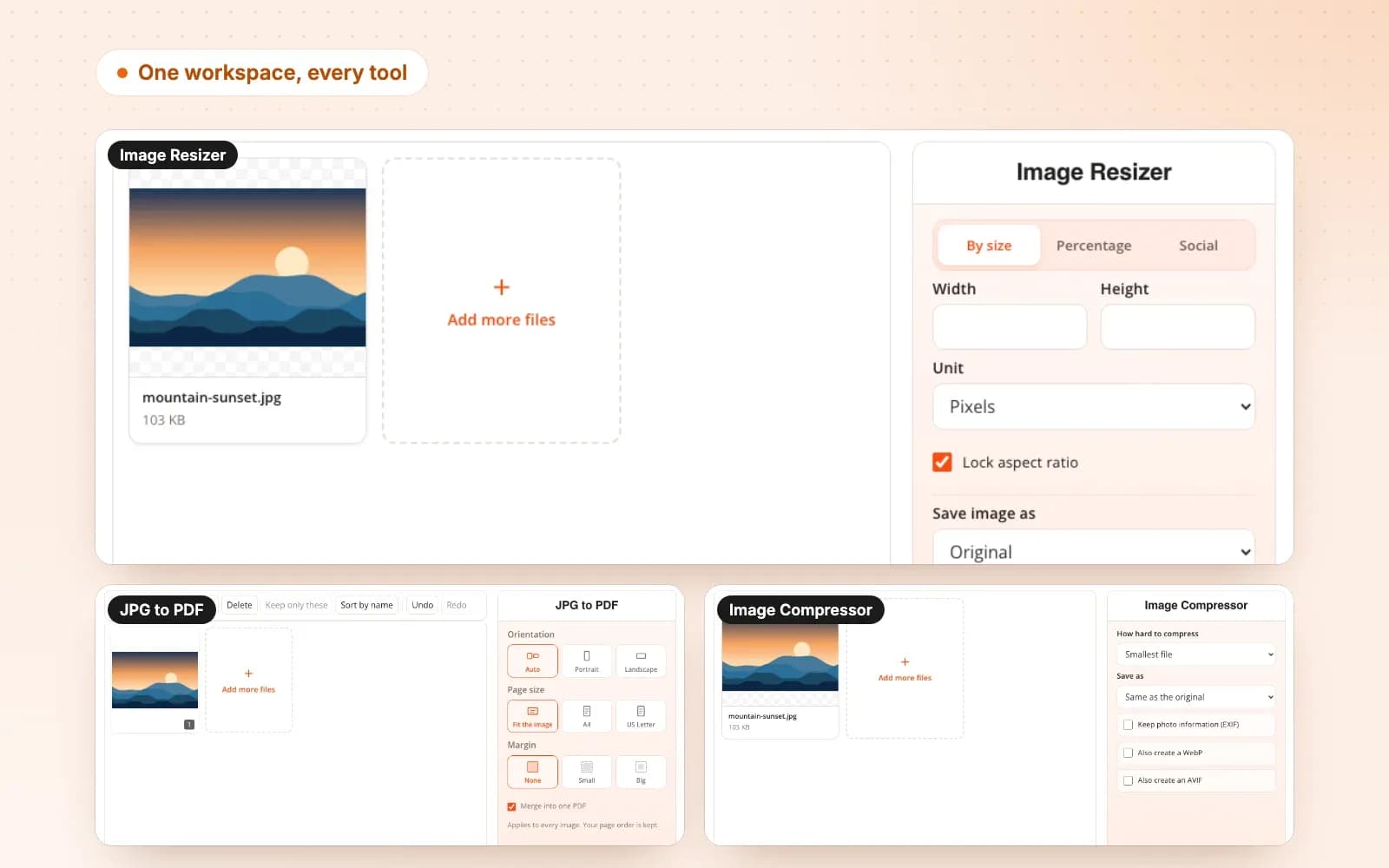
Three DocPivot tools, Image Resizer, JPG to PDF and Image Compressor, each with the same layout: the file on the left, the settings on the right
One workspace, every tool

The same layout on every tool

Three different tools, one layout. Someone who has used one DocPivot tool already knows how to use the rest.

  • File on the left

    What you added, with room to add more.

  • Settings on the right

    Only the choices that tool needs.

  • One action button

    Always at the foot of the panel, named for what it does.

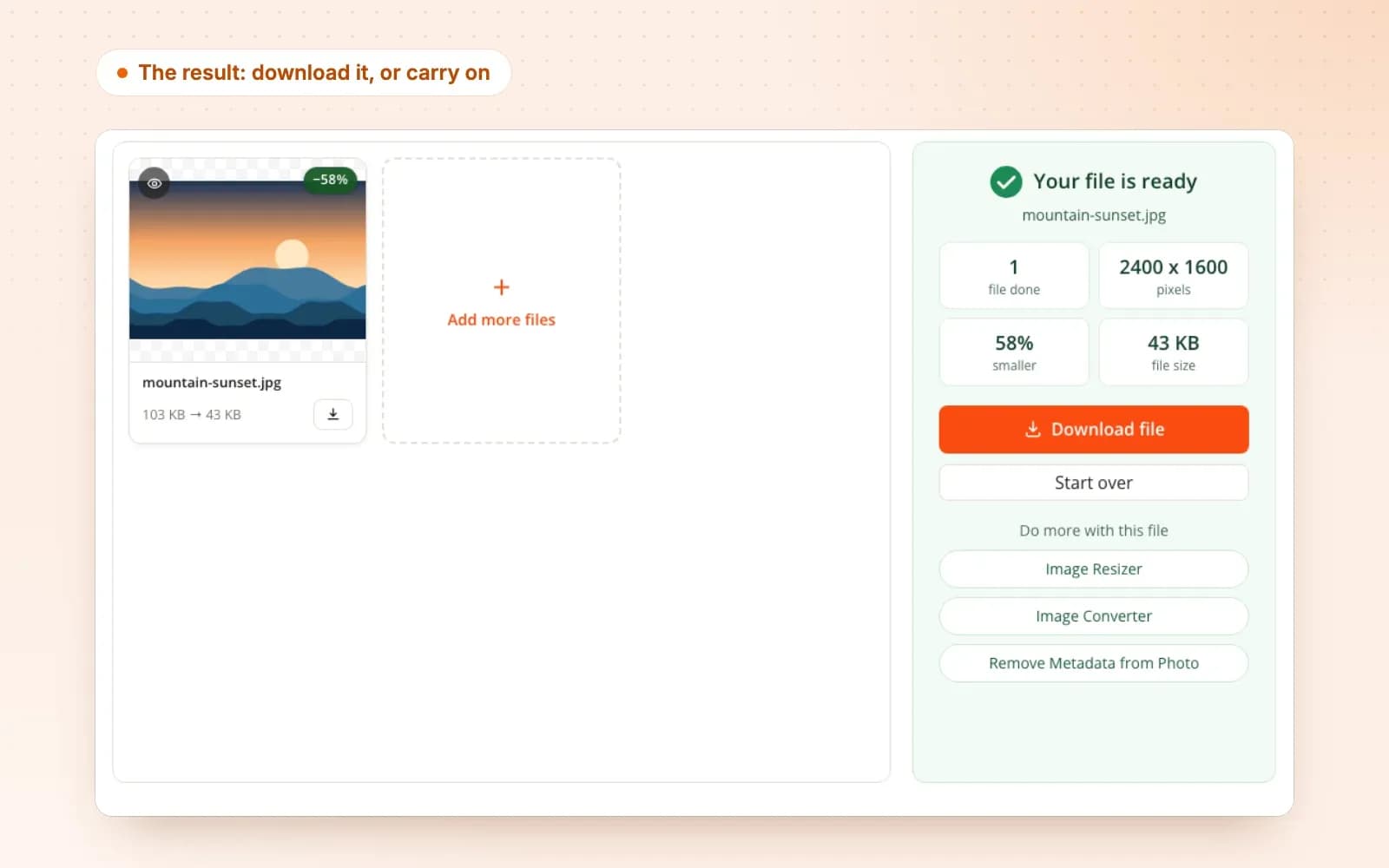
The DocPivot result panel after compressing a photo: file ready, 58% smaller, a Download button and links to do more with the file
The result

Nothing downloads until you ask

The finished file is shown first, with what changed. Then the choice: download it, start over, or carry on with the next tool.

  • What changed

    The new size and the saving, before anything is saved.

  • Download

    One button, when the visitor is ready.

  • Do more with this file

    The tools people usually need next.

PDF and image tools
115
Tools that never upload a file
82
Languages
8
Until server files are deleted
30 min

Where it stands

ToolsPivot now has a product of its own in one of the most searched categories on the web, built on choices the established sites would have to rebuild themselves to copy. DocPivot only launched in August 2026, so this case study is about what was built and why. The search results will be reported here when there is a full period to measure.

More case studies

The Career Lume homepage: "Find the right college. Honestly." with a search box and 44,800+ colleges, 200+ courses and 30 streams, all verified

Career Lume

TheRankHQ designed and built Career Lume from scratch: a college discovery platform for Indian students with more than 44,800 verified college profiles, five free college predictors and a career assessment, built to be honest where college portals usually are not.

College profiles published
44,800+
Careers scored on fit and reality
220+
View full Case Study
The DocPivot homepage: free PDF and image tools that run in your browser, with a drop zone for files and a grid of all 115 tools

DocPivot

TheRankHQ designed and built DocPivot from scratch: 115 free PDF and image tools in one workspace, 82 of which never upload the file. It was planned around what established tools get wrong: daily limits, sign-ups, watermarks and re-uploading between every step.

Tools built from scratch
115
Tools that never upload a file
82
View full Case Study
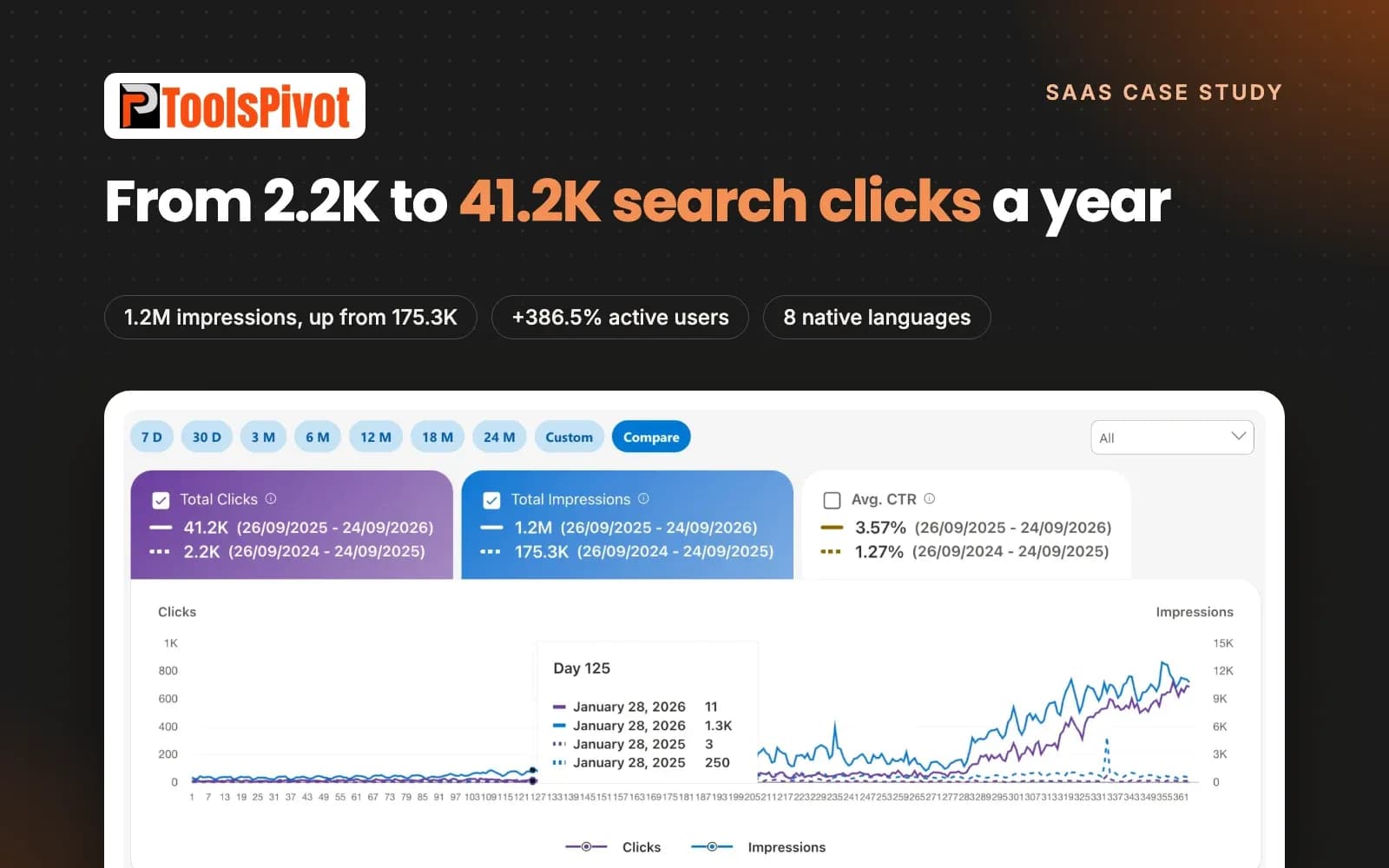
ToolsPivot case study: search clicks up from 2.2K to 41.2K in a year, impressions up from 175.3K to 1.2M and active users up 386.5%

ToolsPivot

A free SEO and webmaster tools platform went from 2.2K search clicks a year to 41.2K, with impressions up from 175.3K to 1.2M and active users up 386.5%, after we rebuilt its tools, rewrote the content around them in eight natively written languages, added schema and internal links, and fixed a long list of technical errors.

Search clicks, year on year
+1,773%
Active users, year on year
+386.5%
View full Case Study

Need a product built this carefully?

Tell us what you want to build, and we will tell you how we would approach it.